Renomi
Mac · batch renamer

Rename a thousand files, and see it first.

Renomi renames photos, PDFs, anything — add dates, add numbers, tidy messy names — with a live preview and one-click undo. Fully offline.

For macOS 14 and later · One-time purchase · No subscription

Files never overwritten One-click undo Works offline
FilesAny type
PreviewLive, before renaming
Undo1 click
Network0 connections
LanguagesEN IT DE FR ES
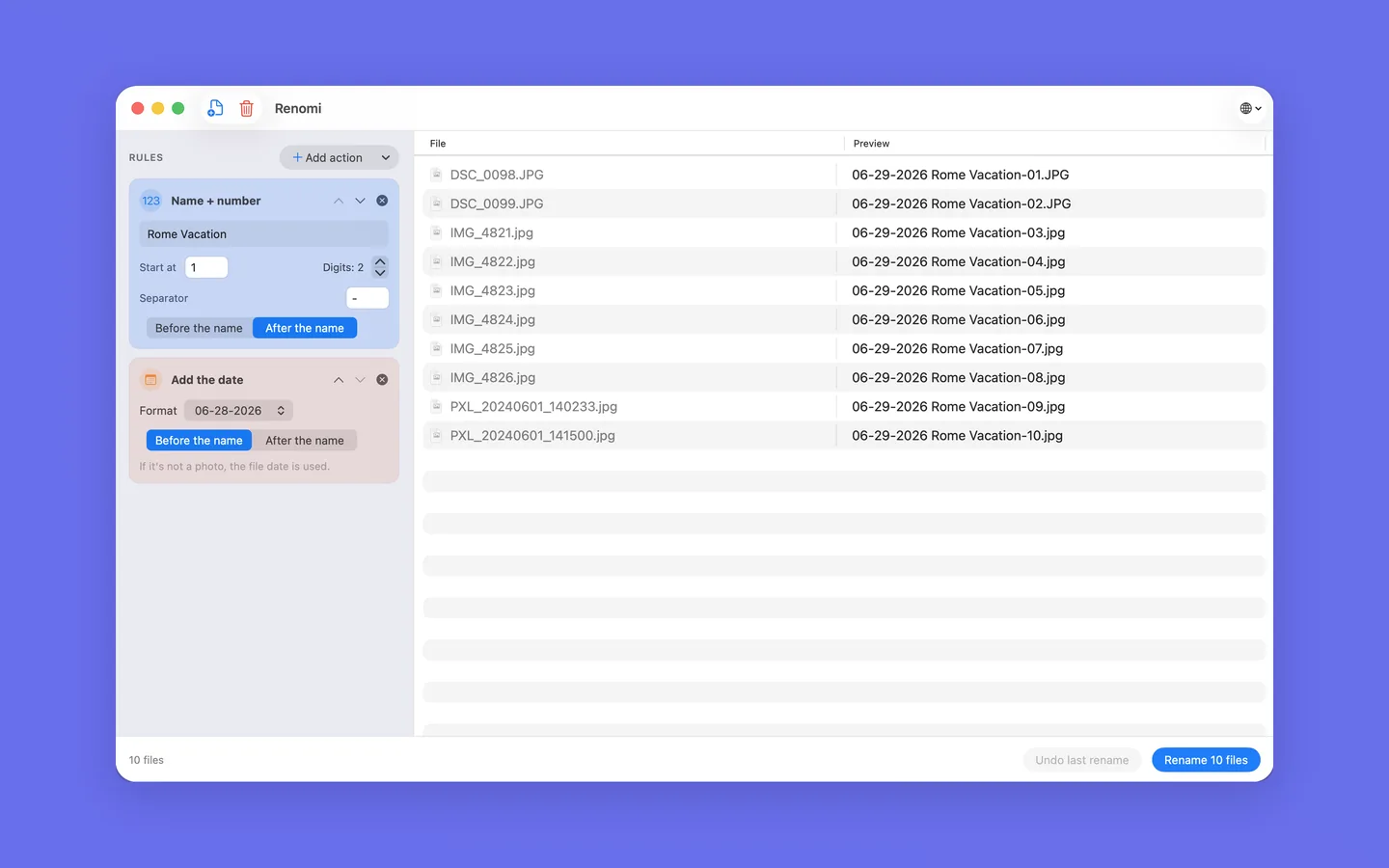
Combine simple actions

Stack a few rules. Watch the names update live.

Add a date, add a number, or clean up messy names. Combine a few and the new names update instantly — before anything changes on disk.

Renomi preview: messy photo names becoming clean, numbered names
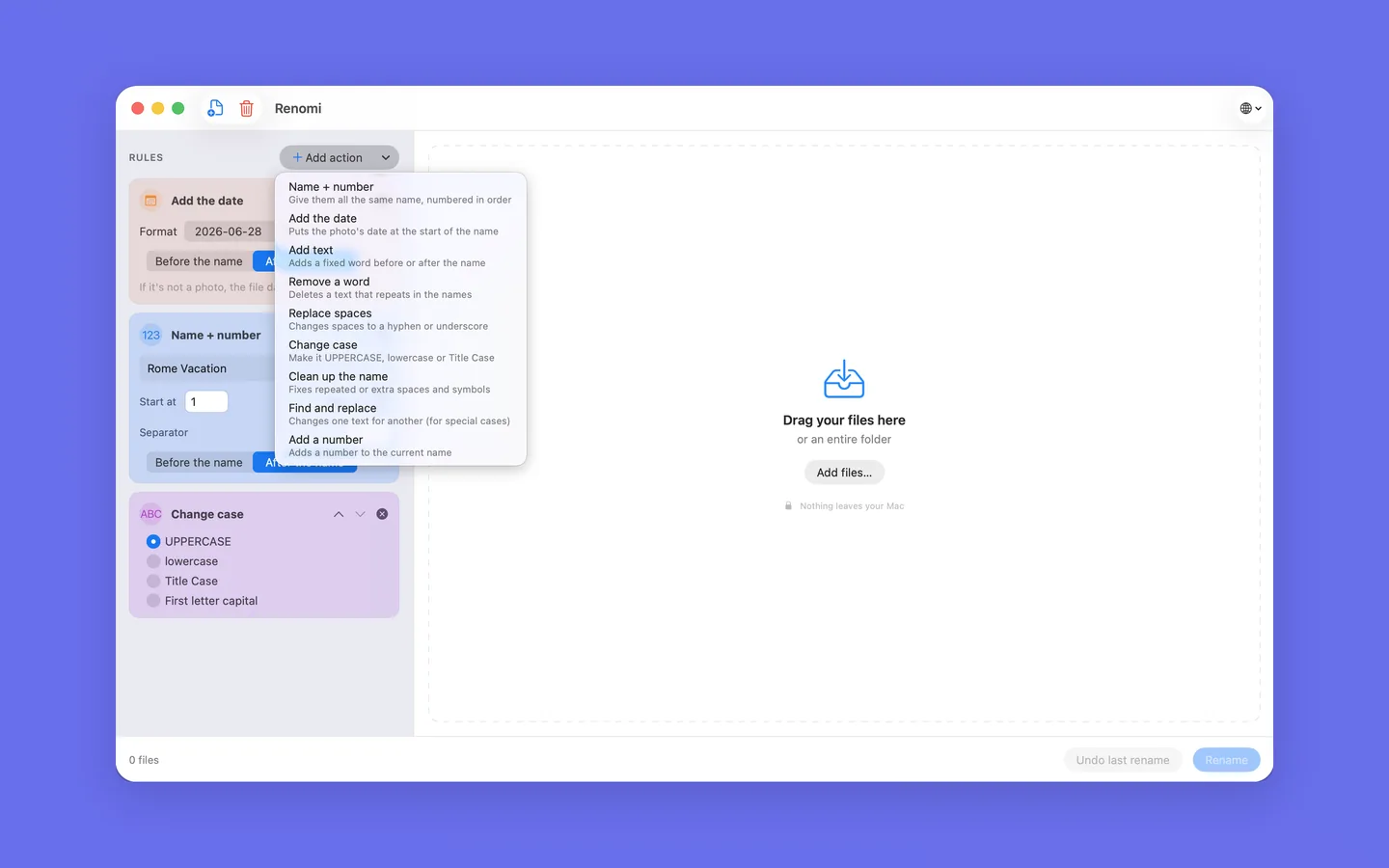
Plain language, no jargon

Pick what you want in everyday words.

No regex, no cryptic tokens. Drop a single file or an entire folder. And it all stays on your Mac — Renomi never goes online.

Renomi's plain-language actions menu
The building blocks

Everything you can do, in plain words.

Pick one action or stack several. Each one is a small, readable rule — combine them and Renomi shows the result before you commit.

DATEAdd the date a photo was taken 123Add sequential numbers A→aChange the case Find & replace text Clean up messy names Remove or trim parts +Add a prefix or suffix
Why Renomi

Powerful batch renames, without the fear.

Live preview

See the new names update as you choose — before anything changes on disk.

🛡️

Safe by design

Your files are never overwritten and the extension is always kept.

↩️

One-click undo

Changed your mind? Put every name back with a single click.

💬

Plain language

Everyday words — no regex or technical jargon required.

🔒

Fully offline

No network, no account. Nothing ever leaves your Mac.

🗂️

Photos, PDFs, anything

Add dates, numbers or clean up names on any kind of file.

In practice

How it works.

Drop your files

Drag in files or an entire folder.

Pick what you need

Choose plain-language actions — add a date, a number, clean up names.

Rename safely

Check the live preview, then rename. Undo anytime.

Ready when you are

Tidy up your files.

For macOS 14 and later · One-time purchase · No subscription

Download on the Mac App Store